
How to Reset Your Mobile Network Like a Pro
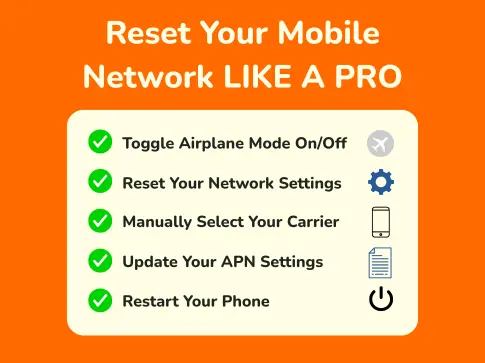
If your mobile signal seems weaker than usual, websites won’t load, or calls keep dropping, don’t panic. There are simple steps you can take to give your phone a quick network health check. Resetting your mobile network can fix many common issues and it only takes a few minutes.
Here’s how you can get your mobile service back on track.
1. Toggle Airplane Mode On and Off
The simplest fix can sometimes work wonders. Turning Airplane Mode on and off forces your phone to disconnect and reconnect to the nearest network tower.
How to do it:
- Swipe down to access Quick Settings
- Tap the Airplane icon to enable, wait 10 seconds
- Tap again to disable
This refreshes your network connection without restarting your phone.
2. Reset Your Network Settings
If you’ve changed settings or moved to a new location, a network reset helps clear outdated connections and restores defaults.
Steps:
- Go to Settings > System > Reset Options (Android)
- Or Settings > General > Transfer or Reset iPhone (iOS)
- Tap "Reset Network Settings"
Note: This will also remove saved Wi-Fi networks and Bluetooth pairings.
3. Manually Select Your Carrier
Sometimes your device gets stuck trying to connect to a weak tower. Manually choosing your carrier can fix this.
To manually select E.Tel:
- Go to Settings > Mobile Network > Network Operators
- Turn off Auto and choose "E.Tel" (or the host network name, e.g., Telstra Wholesale)
4. Update Your APN Settings
Your Access Point Name (APN) controls how your phone connects to the internet and sends MMS.
To reset or update APN:
- Go to Settings > Mobile Network > Access Point Names
- Choose E.Tel or add a new APN using the details below
- Save and restart your phone
E.Tel APN Settings
| Name | Optus Yes Internet |
|---|---|
| APN | yesinternet |
| 4G APN | yesinternet (compatible device/plan required) |
| APN Type | Internet or leave blank |
| Username | Not set or leave blank |
| Password | Not set or leave blank |
| Server | Not set or leave blank |
| MMS Protocol (Android 2.1+) | WAP 2.0 |
| MMSC | Not set or leave blank |
| MMS Proxy | Not set or leave blank |
| MMS Port | Not set or leave blank |
| MCC | 505 |
| MNC | 02 |
| Authentication Type | PAP (or CHAP for some devices like Mac OS-X) |
5. Restart Your Phone
It’s simple, but restarting clears temporary glitches, reboots background services, and can solve unexpected network issues.
When in doubt, restart.
Bonus: Check for System Updates
Sometimes connectivity issues stem from outdated system files or SIM profiles.
Steps:
- Check for software updates in Settings > System
- Ensure your SIM card is inserted properly and hasn’t been damaged
Still Stuck? Contact E.Tel Support
If you’ve tried these steps and still have issues, our friendly team is here to help.
Stay connected with E.Tel! Where reliability meets simplicity.